


Description
Adobe Illustrator :
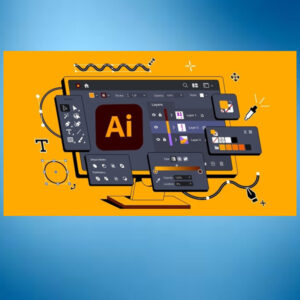
The industry standard vector design app. Faster than ever.
Create one-of-a-kind logos, icons and more.
Make your business or side hustle stand out with customised graphics. Use industry-leading graphic design tools to create unique artwork, patterns and type and then apply them to realistic mock ups of t-shirts, packaging and beyond.
Get noticed with go-anywhere graphics.
Effortlessly scale your artwork to use anywhere your audience is. From business cards to billboards or digital ads, your illustrations stay perfectly sharp and clear in print and digital.
Design bold, precise artwork.
Create crisp vector graphics with total control over every detail. Combine shapes to create something new, play with colour and edit your linework until it’s perfect.
Key Features and Enhancements in Illustrator 2025:
- Objects on Path Tool:
This tool allows users to easily distribute and arrange objects along a path, with options to adjust spacing, rotation, and distribution. - Generative Expand:
This feature enables users to expand artwork within a defined area, using AI to fill the space with similar patterns or details. - Enhanced Image Trace:
The Image Trace feature has been improved to produce cleaner results with fewer shapes and better detection of gradients. - Text to Pattern:
Users can now generate seamless patterns using text prompts, with improved output quality and new density controls. - Retype:
This feature allows users to identify a font used in any image and find matching fonts within Illustrator. - Project Neo (Beta):
This tool allows users to explore 3D effects and create 3D objects from 2D designs.
Other Notable Updates:
- Improved Workflow:
Illustrator 2025 includes enhancements to various tools and features, streamlining the design process and improving overall productivity. - AI-Powered Features:
The latest version leverages Adobe’s AI capabilities to offer more intelligent and efficient design solutions. - Cloud-Based Services:
Illustrator 2025 is integrated with Adobe’s Creative Cloud, providing access to cloud-based assets and collaborative tools.
Substance 3D Painter
Generate graphics to expand artwork and fill bleed areas
Use Generative Expand to expand the dimensions of your vector artwork and to add print bleed in your own style.

Experience performance enhancements
Explore the enhancements to effects and editing.


Reviews
There are no reviews yet.