


Description
Creative Cloud Single App :
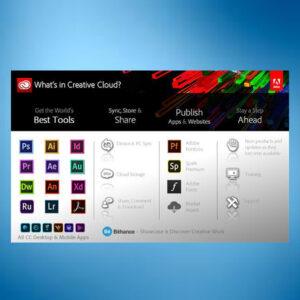
Creative Cloud Single App plan provides access to the latest version of one specific Adobe desktop application (like Photoshop, Illustrator, etc.) along with some additional features and services. These plans are designed for users who primarily need one particular tool and offer a more affordable entry point to the Creative Cloud ecosystem.Key Features and Specifications:
- Choice of a Single App: Users can select their preferred application from the available Creative Cloud desktop apps, such as Photoshop, Illustrator, Premiere Pro, etc.
- Premium Features of Adobe Express: The Single App plan includes access to the premium version of Adobe Express, according to Adobe.
- Adobe Fonts: Access to a vast library of fonts for use in designs.
- Adobe Stock: A selection of free photos, videos, and other assets from Adobe Stock.
- Tutorials: Access to tutorials to learn how to use the chosen application and related tools.
- Cloud Storage: 1 TB of cloud storage for file sharing and collaboration.
- Centralized Administration: For enterprise plans, administrators have tools to manage user access and app assignments.
- Creative Cloud Libraries: A space to gather and share logos, images, and other assets across different Adobe apps.
- Integration with Popular Apps: The Single App plan integrates with tools like Slack and Microsoft Teams, according to Adobe.
- Generative Credits: The plan includes monthly generative credits for use with AI features like Adobe Firefly.
- Flexibility: Enterprise plans allow administrators to change the assigned app after 30 days without a contract modification.
- Technical Support: 24/7 technical support is typically included.
Important Considerations:
- Limited to One App: The core limitation is that you only have access to one desktop application, though you can use the premium version of Adobe Express and access other features like Adobe Fonts and Stock within the plan.
- Free Trial: Single App plans often include a free trial of all other Creative Cloud apps.
- Device Usage: You can typically install and use the application on up to two devices.
The plan enables customers to choose any one app from a set of available Creative Cloud applications. The Single App plan gives the administrator flexibility to change the provisioned application after 30 days without a contract amendment. Thus, giving the enterprise flexibility to meet changing needs.
Ref: https://helpx.adobe.com/enterprise/using/single-app.html
The Creative Cloud for enterprise Single App plan allows you to choose any one of the available apps per Single App license and assign them to your end users. As new apps are made available to the Single App plan, you can then assign these apps to the users without any contract modifications.
Overview
The Creative Cloud for enterprise Single App (Single App) plan is available to Enterprise Term License Agreement (ETLA) customers. The plan enables customers to choose any one app from a set of available Creative Cloud applications.
The Single App plan gives the administrator flexibility to change the provisioned application after 30 days without a contract amendment. Thus, giving the enterprise flexibility to meet changing needs.
Also, as newly released apps are added to your Single App plan, you can assign them to the end users right away. You do not need any modification in the existing contract to avail the new app.
Adobe Acrobat Pro for Teams FAQ’s :
The Creative Cloud All Apps plan has 20+ creative apps, including Adobe Photoshop, Illustrator, Premiere Pro, After Effects, InDesign and Acrobat Pro. You also get templates, cloud storage and thousands of fonts from the Adobe Fonts library. View the full list of Creative Cloud apps and perks.
The Creative Cloud All Apps plan starts at ₹1,915.14/mo with options for monthly or annual payment plans. See which Creative Cloud plan is right for you.
- Acrobat Pro or Acrobat Standard desktop software: Use Acrobat tools on your desktop, including advanced convert, edit and protect features. You can also integrate Acrobat with other productivity tools or work off-line.
- Acrobat online: Use PDF and e-signature tools in any web browser. Our prebuilt integrations for Microsoft OneDrive, Google Drive and more make it easy to store and share files online. You can even send documents for e-signature and track responses in real time.
- Acrobat Reader mobile app: This free app — trusted by hundreds of millions — is packed with all the latest tools you need to keep projects moving wherever you are.
- Adobe Scan mobile app: Use this free app to scan documents into PDFs and automatically recognise text for editing.
The Creative Cloud All Apps plan has more than 20 creative applications, including Photoshop, to grow your creative skillset. If you’re considering purchasing more than two applications, the All Apps plan savings add up quickly. It’s the easiest way to get your favourite creative apps in one subscription at a great price.
Your subscription lets you activate each of the 20+ Creative Cloud apps across desktop, mobile and web on up to two devices (or virtual machines) at a time, but you may not use the same app on both devices simultaneously.
You control which of the 20+ Creative Cloud apps you download, when you download each one and which devices you install them on.
Start your app downloads by install the Creative Cloud desktop app or by logging into Creative Cloud home on the web. You can install the mobile app from your app store. From the log in screen you’ll be able to download your Creative Cloud apps for



Reviews
There are no reviews yet.